
Monday to Saturday - 9:00 am -18:00 pm

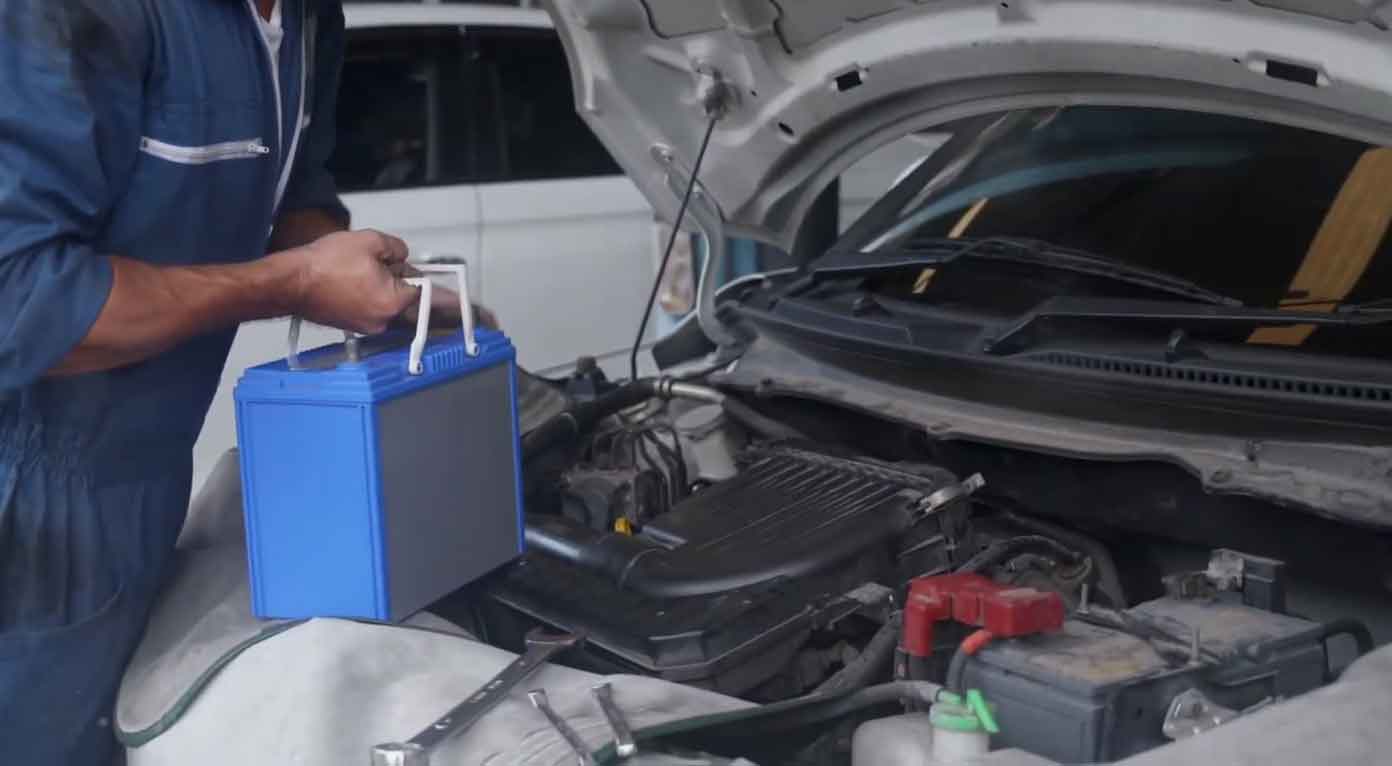
Does your Honda Accord show a “check charge system” message on the dashboard? This happens more often than you think.
I’ve been fixing cars for over 15 years. This warning pops up on 2013, 2014, 2016, and 2017 models all the time. It’s something every Accord owner should know how to handle.
This guide will walk you through everything. You’ll learn what causes it, how to fix it, and when to get help. Let’s get your Honda back to running smooth.
Understanding the ‘Check Charge System’ Message in Your Honda Accord
This warning isn’t something to ignore. It means your car’s electrical system has a problem. Something isn’t working right with how your battery gets charged.
Your Honda has several parts that work together. The battery stores power. The alternator makes power. The serpentine belt connects them. Wires carry electricity everywhere. When one part fails, this warning appears.
From my experience in the shop, I’ve seen this message show up for different reasons. Sometimes it’s simple. Other times it takes real digging to find the problem.
Finding Out What’s Wrong: Simple Diagnosis Steps
You need to figure out which part is causing trouble. Here’s how I do it in my garage.
Start by checking the easy stuff first. Look at your battery terminals. Are they crusty or loose? That’s often the culprit right there.
Next, listen to your engine. Does it make weird sounds when you start it? That squealing noise could mean your belt is bad.
Then check your lights. Do they dim when you’re driving? That points to alternator trouble.
A voltage test helps too. You can buy a simple meter at any auto parts store. It takes two minutes to check.
Top 5 Reasons This Warning Appears (And How to Fix Each One)
Let me break down what I see most often. These five problems cause almost every case.
Bad Alternator
What’s happening:
The alternator’s job is making electricity while you drive. It keeps your battery charged up. When the engine runs, the belt spins the alternator fast. This creates power for everything electrical.
I’ve replaced hundreds of alternators over the years. They wear out eventually. When they go bad, your battery stops getting juice. The warning light comes on even though your battery might be fine.
Signs you’ll notice:
Your headlights get dim, especially at night. You might hear a whining sound from under the hood. The radio cuts out randomly. Your car struggles to start. These all point to alternator failure.
In my shop, I use a multimeter to test alternator output. It should put out 13.5 to 14.5 volts when running. Anything less means replacement time.
The fix:
You need a new alternator. Don’t buy cheap ones. Get an OEM Honda part or a quality brand like Denso. I’ve seen cheap alternators fail in six months. It’s not worth saving $50.
The job takes about an hour if you know what you’re doing. You’ll need basic tools. Some models are easier than others to access.
Dying Battery
What’s happening:
Batteries don’t last forever. Most give you 3 to 5 years. After that, they lose their punch. The connections can get corroded too. That white crusty stuff blocks electricity flow.
When I service a car like this, I always check battery age first. Look for a date sticker on top. If it’s over four years old, that’s likely your problem.
Warning signs:
The engine cranks slowly when starting. Your interior dome light looks weak. You see green or white buildup on the terminals. The battery case looks swollen or cracked. These mean battery trouble.
What to do:
Test the battery voltage first. Turn off everything and check with a meter. A healthy battery shows 12.4 to 12.7 volts when the car is off. Below 12 volts means it’s dead or dying.
Clean those terminals with a wire brush. Mix baking soda with water to remove corrosion. Rinse it off and dry everything.
If the battery tests bad, replace it. Honda recommends specific sizes. Check your owner’s manual. Install it correctly and tighten the terminals well.
Worn or Broken Serpentine Belt
What it does:
This belt is like the main drive shaft for accessories. It spins the alternator. It also runs your power steering and AC compressor. Without this belt, nothing works right.
From years under the hood, I can spot a bad belt quickly. They crack, fray, or get shiny from wear. Sometimes they snap completely.
How to tell it’s bad:
You’ll hear a loud squealing when you start the car. Look at the belt itself. See cracks in the rubber? That’s your answer. If it feels loose when you push on it, it needs replacing.
A broken belt means zero alternator function. Your battery dies within an hour of driving.
Fixing it:
Replace the belt right away. These are cheap, usually $20 to $40. The hard part is getting to it on some models. You need the right size belt for your year and engine.
I always replace belts every 60,000 miles as preventive maintenance. It saves headaches later. The job takes 20 minutes once you know the routing pattern.
Wiring and Electrical Problems
The issue:
Your car has miles of wiring. Connections can come loose. Wires can break or get damaged. Fuses blow when too much power flows through them.
These problems are tricky to find. In my experience, they cause the most frustration. You need patience and the right tools.
What you’ll see:
Electrical stuff acts weird. Windows stop working randomly. The check engine light might be on too. You might blow the same fuse repeatedly. Dashboard lights flicker.
The solution:
Start by checking all fuses related to charging. Your owner’s manual shows where they are. Replace any blown ones.
Look for loose connections at the battery, alternator, and starter. Wiggle wires gently to find breaks.
If you’re not comfortable with electrical work, stop here. Take it to a pro. Bad wiring fixes can cause fires. I’ve seen it happen.
A mechanic will use a wiring diagram and test equipment. They can trace exactly where the problem is.
Faulty Sensors
What’s going on:
Modern Hondas have sensors for everything. They monitor voltage, temperature, and system performance. When a sensor fails, it sends wrong information to the computer.
I’ve seen bad sensors trigger this warning even when nothing else is wrong. The computer thinks there’s a problem when there isn’t.
Symptoms:
This one is hard to spot without a scanner. You might notice the warning comes on randomly. Everything seems to work fine otherwise.
How to fix it:
You need an OBD-II scanner. I use one every single day. Plug it into the port under your steering wheel. It reads error codes from the computer.
The codes tell you which sensor is acting up. Common ones include the battery sensor or voltage regulator sensor.
Replace the bad sensor. They’re usually easy to access. Follow the instructions for your specific year.
Step-by-Step: Resetting the Warning Light
After you fix the actual problem, the light might stay on. Here’s how to clear it properly.
Step 1: Park safely
Find a flat spot away from traffic. Turn off your engine completely. Make sure you’re in park with the parking brake on.
Step 2: Disconnect your battery
Pop the hood and locate the battery. You’ll need a 10mm wrench for most Hondas. Loosen the negative terminal first. It’s marked with a minus sign and usually has a black cable.
Then remove the positive terminal. That’s the one with a plus sign and red cable. Set both cables away from the battery.
Step 3: Wait it out
Let the car sit for 20 to 30 minutes. This drains all power from the computer system. It’s like rebooting your phone. The system resets completely.
Step 4: Reconnect everything
Put the positive cable back first. Tighten it snug. Then connect the negative cable. Make sure both are tight. Loose connections cause problems.
Step 5: Start the engine properly
Don’t just turn the key immediately. First, turn it to the “ON” position without starting. Wait about 10 seconds. This lets the computer wake up.
Now start the engine normally. Watch your dashboard. The warning should be gone.
Step 6: When to get professional help
If the light comes right back on, you’ve got a bigger issue. The fix didn’t work. Or there’s another problem hiding.
Take your Accord to a Honda dealer or trusted mechanic. They have better diagnostic tools. Some problems need specialized equipment to find.
My Final Thoughts
The check charge system warning demands attention. Don’t put it off. I’ve seen people ignore it and end up stranded on the highway.
Most causes are fixable at home with basic tools. The alternator, battery, and belt are the usual suspects. Check these first before anything else.
Clean connections solve a lot of problems. Corrosion is sneaky and blocks electricity. Five minutes with a wire brush can save you hundreds.
When you’re not sure what’s wrong, ask for help. Auto parts stores test batteries and alternators for free. Use that service. It saves guesswork.
Keep up with regular maintenance. Check your battery twice a year. Inspect belts every oil change. This prevents surprise failures.
If you’ve tried everything and still see the warning, visit a professional shop. Some electrical problems need experience and special tools to diagnose.
Common Questions About This Warning
Is it safe to drive with this warning showing?
No, I don’t recommend it. Your battery could die anytime. You might get stuck somewhere inconvenient. The alternator might be failing right now. Every mile risks more damage.
If the warning appears while driving, head straight home or to a repair shop. Don’t take long trips. Don’t ignore it for days.
How often should I inspect the charging system?
Check your battery terminals every six months. Look for corrosion and make sure they’re tight.
Inspect the serpentine belt at every oil change. Look for cracks or fraying.
Test your battery twice a year, especially before winter and summer. Extreme temperatures kill batteries faster.
Have the entire charging system tested every 30,000 miles. Most shops do this during routine service.
I cleaned the terminals but the warning stayed on. Now what?
Move on to the next step. Test the battery voltage. Check if it holds a charge properly.
Inspect the alternator output. Make sure it’s producing 13.5 to 14.5 volts.
Look at the serpentine belt condition. A loose or worn belt causes charging problems.
If you’ve checked these and found nothing, you need a mechanic. There could be hidden wiring issues or a bad sensor.