
Monday to Saturday - 9:00 am -18:00 pm

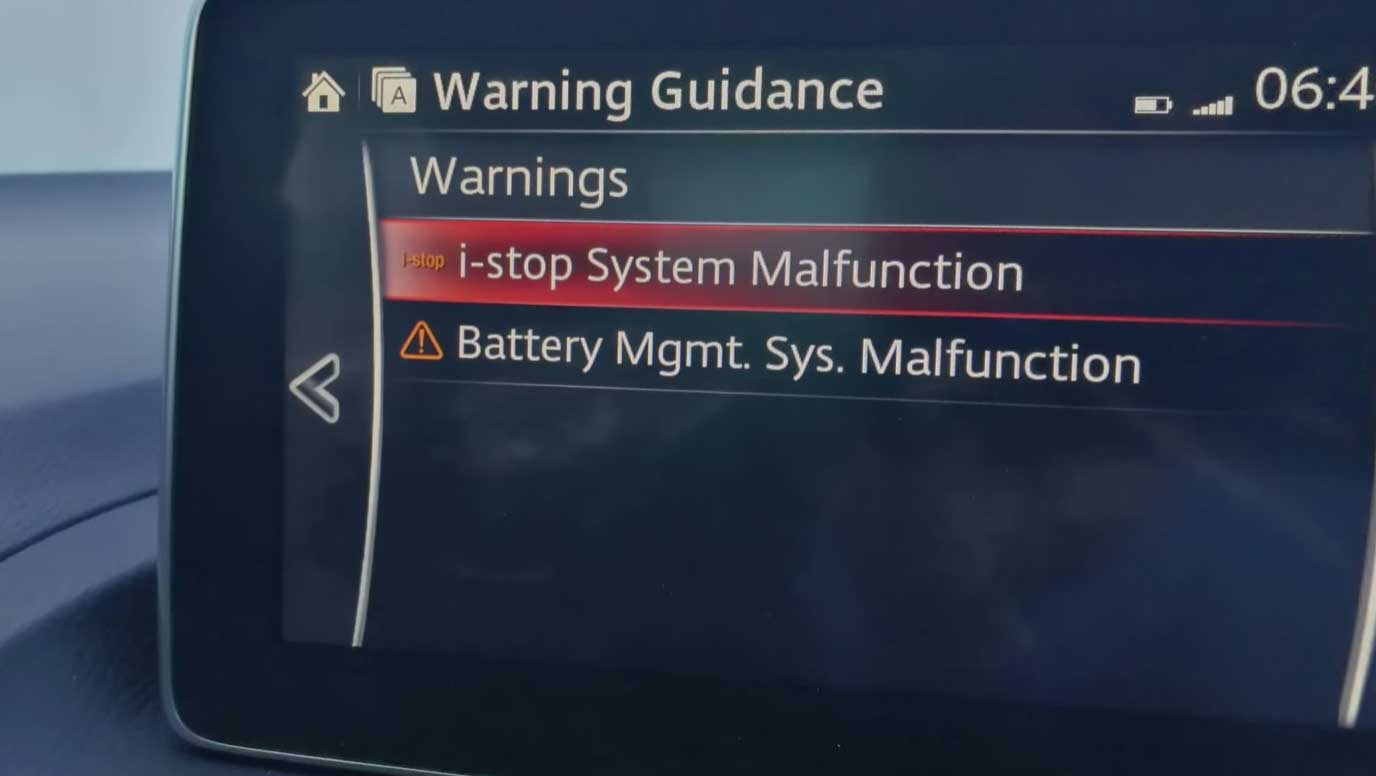
You turn on your car. A warning light pops up on your dashboard. It says something about a “battery management system malfunction” or shows a battery fault code.
Your heart sinks.
Is your car about to break down? Do you need a new battery? Can you drive to work?
Here’s the good news: a battery management system malfunction doesn’t always mean disaster. But it does mean something is wrong and needs attention.
This guide explains what a battery management system actually is, why it fails, and what you should do about it.
What Is a Battery Management System?
The BMS Is Your Battery’s Brain
Your car’s battery is dumb. It can’t protect itself. That’s where the BMS comes in.
The BMS is a computer that watches your battery 24/7. Think of it like a personal trainer for your battery.
Here’s what it does:
- Monitors temperature. Batteries hate being too hot or too cold. The BMS keeps tabs on this.
- Checks voltage. It makes sure the battery isn’t being overcharged or drained too much.
- Balances cells. In electric vehicles, the BMS balances power across multiple battery cells so they wear evenly.
- Protects connections. It watches the wires and terminals to catch corrosion or loose connections.
- Prevents damage. If something goes wrong, the BMS shuts down the system to protect your battery (and your car).
Cars Have Different Battery Systems
Gas-only cars have a simpler battery system. The battery just starts the engine and powers lights. The BMS is basic.
Hybrids have a larger battery and a more complex BMS. It manages switching between the gas engine and electric motor.
Electric vehicles (EVs) have the most complex BMS. It manages a huge battery pack and keeps it running safely every single day.
A malfunction can happen in any of these cars. But it’s more common (and more serious) in hybrids and EVs.
Why Does the BMS Malfunction?
The Most Common Causes
1. A Weak or Dying Battery
This is the #1 reason you see a BMS error.
If your battery is old, worn out, or losing charge, the BMS detects it. It throws a warning light to tell you something’s wrong.
A typical car battery lasts 3–5 years. If yours is older, the BMS is probably watching it fail in real time.
2. A Bad Battery Connection
Loose terminals, corroded wires, or a faulty ground connection confuse the BMS.
It can’t read the battery voltage properly. It thinks something’s wrong (and sometimes it is).
This is one of the easiest problems to fix. A mechanic can clean the terminals in 15 minutes.
3. A Faulty BMS Sensor
The BMS has several sensors that measure temperature, voltage, and current.
If one of these sensors dies, the BMS loses information. It can’t do its job. So it gives up and sends an error code.
4. Water Damage or Electrical Shorts
If water gets into the battery or the electrical system, it can short things out.
This is more common after flooding, heavy rain, or if you’ve driven through deep water.
5. Software Problems (Mostly in EVs)
Electric vehicles have complex software. Sometimes the BMS software gets outdated or buggy.
A software update usually fixes this. But it needs to be done by a dealer or specialist.
6. A Dying Alternator (Gas Cars)
In gas cars, the alternator charges the battery while you drive.
If the alternator is failing, the battery doesn’t charge properly. The BMS spots this and sends a warning.
7. You Left Lights On or Drained the Battery
If you left the headlights on overnight or ran the battery flat, the BMS might stay in “error mode.”
This usually clears on its own after a few charge cycles. But sometimes a battery reset is needed.
What Do the Warning Lights Mean?
Common Dashboard Warnings
Battery Light (Red)
This is the most common. It looks like a battery with a plus and minus sign.
What it means: Your battery isn’t charging, or the BMS detected a serious problem.
Urgency: Medium to high. You should get it checked within a day or two.
Battery Management System Fault (Text Warning)
Some cars show a text message instead of a symbol.
What it means: The BMS itself is broken or confused.
Urgency: Medium. Get it scanned soon, but you can usually drive safely.
Check Engine Light (Yellow)
The check engine light can turn on for battery system problems.
What it means: The BMS sent an error code to the main computer.
Urgency: Low to medium. Doesn’t mean stop immediately, but get it diagnosed within a week.
Temperature Warning
Some EVs show a temperature icon or message.
What it means: The battery is overheating or too cold to charge safely.
Urgency: High. Stop driving and let the battery cool down (or warm up). Don’t charge until it’s back to normal.
Is It Safe to Drive?
The Short Answer: Usually Yes, But Don’t Wait
Most BMS malfunctions don’t mean your car will break down in the next mile.
But they do mean something is wrong and getting worse.
When You Should NOT Drive
Stop driving immediately if:
- Your battery light is bright red and flashing (not solid).
- Smoke is coming from under the hood.
- You smell burning plastic or chemicals.
- The car won’t start at all.
- The battery light came on during hot weather and your car has been overheating.
These are rare, but they’re serious.
When It’s Okay to Drive (For Now)
You can usually drive if:
- The light is solid (not flashing).
- You’re heading to a mechanic or auto parts store.
- The distance is less than 30 miles.
- It’s not extremely hot outside.
Just don’t go on a long road trip. And don’t ignore it.
Why Speed Matters
If your alternator is failing (common in gas cars), your battery isn’t charging while you drive.
You have a limited amount of charge. Driving fast uses that charge faster. Driving in heavy traffic (stop-and-go) uses it fastest.
So if you have a BMS warning, drive gently and straight to the mechanic.
How to Fix a BMS Malfunction
Step 1: Get the Car Scanned for Error Codes
This is not optional. You need a diagnostic scan.
Error codes tell you exactly what’s wrong. Without them, you’re guessing.
Where to go:
- Auto parts stores (often free).
- Independent mechanics ($50–$100).
- Dealerships ($100–$150).
A good mechanic can read the code and explain what it means in plain English.
Step 2: Check the Basics Yourself (If You’re Comfortable)
Look at the battery terminals:
Pop the hood and look at the two cables connected to the battery. One is red (positive), one is black (negative).
Are they loose? Corroded with green or blue fuzz?
If yes, you found the problem. A mechanic can clean and tighten them in minutes.
Check the battery age:
Look on top of the battery. There’s a label with a date code (usually letters and numbers).
If your battery is older than 5 years, it’s probably dying. Replace it.
Step 3: Let a Mechanic Fix It
Once you know the error code, a mechanic can:
- Replace the battery (if it’s dying).
- Clean corroded terminals (easy fix, $20–$50).
- Replace the alternator (if it’s not charging, $300–$800).
- Fix a sensor (if the BMS sensor is broken, $100–$400).
- Update software (if it’s an EV with outdated BMS software, often free at a dealership).
Cost Expectations
| Problem | Typical Cost |
|---|---|
| Battery replacement | $100–$200 |
| Terminal cleaning | $20–$50 |
| Alternator replacement | $300–$800 |
| BMS sensor replacement | $150–$400 |
| Software update | $0–$200 |
Common Mistakes Car Owners Make
Mistake 1: Ignoring the Warning Light
“It’s just a light. My car still runs.”
Wrong. The light means your battery system is degrading. Ignore it long enough, and your car will leave you stranded.
A BMS warning now = a broken car later.
Mistake 2: Assuming You Need a New Battery
Most BMS warnings are NOT about a dead battery.
A loose terminal, a bad sensor, or a failing alternator can cause the same warning light.
Get it scanned before you spend $150 on a new battery you don’t need.
Mistake 3: Driving Long Distances on a Single Charge (EVs)
If your EV’s BMS is warning you about temperature or charge issues, don’t ignore it on a road trip.
These warnings exist to protect your battery from permanent damage.
Pushing through the warning can reduce your battery’s lifespan by years.
Mistake 4: DIY Repairs Without a Scan
Some people see a corroded terminal and think, “I’ll just clean it myself.”
That might work. But if the error code is something else, you’ve wasted time and money.
Always start with a diagnostic scan. It costs $50–$100 and saves you hundreds in wrong guesses.
Mistake 5: Buying Cheap Batteries to Save Money
A low-cost battery might only last 2–3 years.
A quality battery costs a bit more but lasts 5+ years and has a better warranty.
Over time, quality batteries are cheaper.
FAQ
Q1: Can I Ignore a Battery Management System Malfunction Warning?
A: No. It won’t go away on its own. The problem is getting worse, not better. Get it diagnosed within a week.
Q2: How Much Does It Cost to Fix a BMS Malfunction?
A: Anywhere from $20 (terminal cleaning) to $800 (alternator replacement). The diagnostic scan ($50–$100) will tell you which.
Q3: Will My Car Break Down if I See a BMS Warning Light?
A: Probably not immediately. But don’t take a road trip. Drive gently to a mechanic. Most BMS warnings give you days or weeks before failure, not hours.
Q4: Is a BMS Malfunction More Serious in an EV Than a Gas Car?
A: Yes. Gas cars have simpler batteries. EV batteries are more complex and expensive to replace. Get EV battery warnings checked faster.
Q5: Can Cold Weather Cause a BMS Malfunction?
A: Yes. Batteries lose power in cold weather. If it’s below freezing and you see a warning, try parking in a warm garage for an hour. If the light stays on, get it scanned.
Q6: Do I Need to Go to a Dealership or Can I Use an Independent Mechanic?
A: An independent mechanic can usually handle it and costs less. Dealerships are only necessary for software updates (EVs) or warranty work.
Q7: What’s the Difference Between a Battery Warning Light and a BMS Malfunction Warning?
A: Not much. The battery light means the charging system isn’t working. A BMS malfunction means the battery management computer detected a problem. Both need the same diagnostic scan.
Q8: Can a Dirty or Corroded Battery Terminal Really Trigger a BMS Warning?
A: Absolutely. Corrosion blocks the electrical connection. The BMS can’t read the battery properly and throws an error. Cleaning the terminals often fixes it.
What to Do Right Now
Today
- Check your battery terminals. Pop the hood. Look for corrosion or loose connections. If they look dirty, have them cleaned.
- Note when the light appeared. Did it show up after the car sat unused? After hot weather? After you left lights on? This info helps a mechanic.
This Week
- Get a diagnostic scan. Drive to an auto parts store or a mechanic. It’s cheap and tells you exactly what’s wrong.
- Don’t ignore it. The longer you wait, the more damage happens. A $100 fix today becomes a $500 fix next month.
Next Steps Based on the Diagnosis
- If it’s the battery: Replace it. Takes 30 minutes.
- If it’s the terminals: Clean and tighten them. Takes 15 minutes.
- If it’s the alternator: Replace it. Takes 1–3 hours.
- If it’s a sensor: Replace the sensor. Takes 1–2 hours.
- If it’s an EV software issue: Schedule a dealership appointment for a software update.
Conclusion
A battery management system malfunction warning is your car’s way of saying, “Hey, something’s wrong with my battery.”
It’s not a death sentence. But it is a wake-up call.
The good news is that most BMS problems are cheap and easy to fix—if you catch them early. A corroded terminal, a weak battery, or a bad sensor can all be fixed in under an hour for under $200.
The bad news is that if you ignore the warning, the problem gets worse. A $50 terminal cleaning becomes a $500 alternator replacement. A $150 battery replacement becomes a $2,000 emergency breakdown on the highway.
Here’s what to do:
- Don’t panic. You can usually drive safely to a mechanic.
- Get a diagnostic scan. It costs $50–$100 and tells you exactly what’s wrong.
- Fix it quickly. Most repairs are straightforward.
- Don’t delay. The longer you wait, the more it costs.
Your battery management system is working exactly as designed—warning you before something fails. Listen to it.