
Monday to Saturday - 9:00 am -18:00 pm

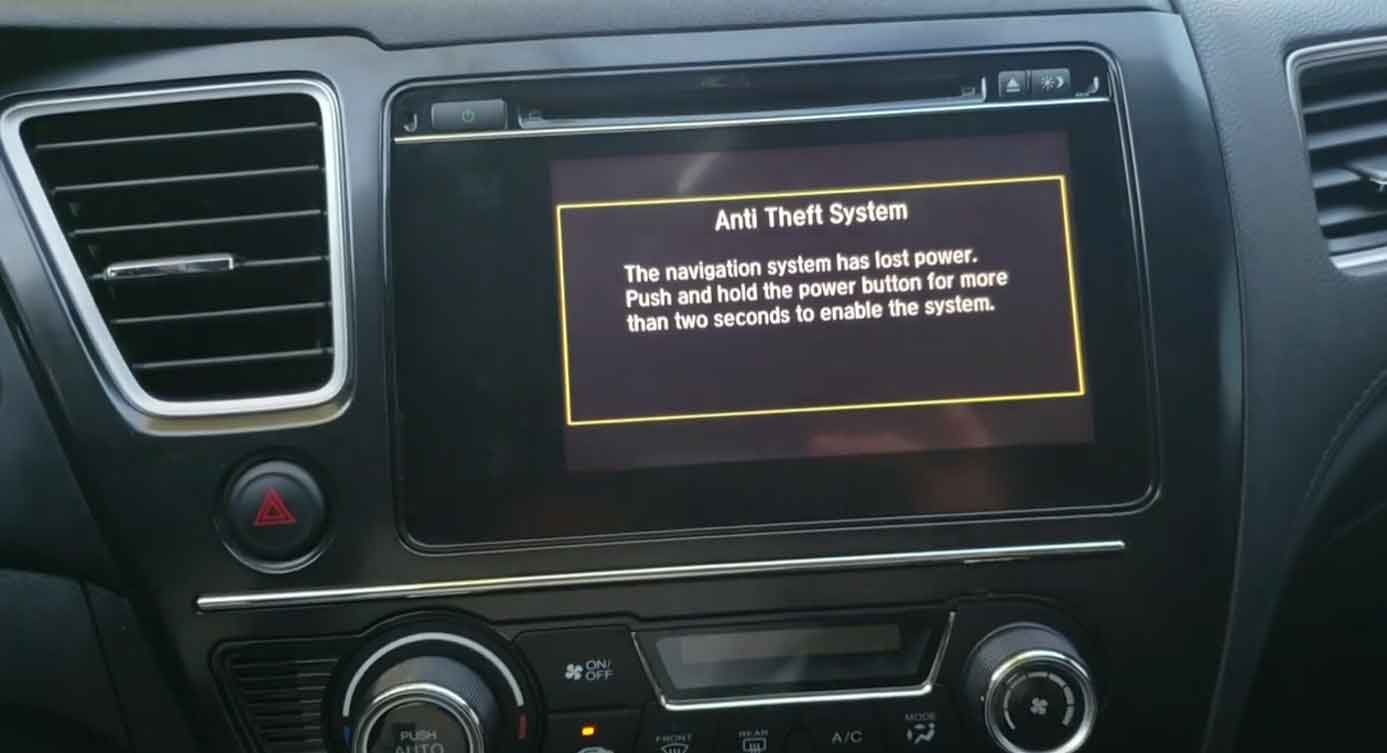
Your Honda Civic radio screen says “CODE” and won’t play music. This happens a lot in my shop. It’s not broken—it’s just locked.
The radio locks itself when the battery dies or gets changed. This is a security feature. It stops thieves from using your radio if they steal it.
Don’t worry. I’ll show you exactly how to fix it. This guide works for most Civic models from 2000 to 2024.
Why Your Radio Needs a Code
Honda built this lock-in system for your safety. When power cuts off from the battery, the radio thinks something is wrong. So it locks up.
I see this every week when we replace batteries. The customer drives off, then comes back asking why their radio won’t work. It’s totally normal.
Your Civic has a special 4 or 5-digit number that unlocks the radio. You just need to find it and type it in.
Three Ways to Find Your Radio Code
From years under the hood, I’ve learned where Honda hides these codes. Here are the three best spots to check.
Method 1: Check Your Glove Box
Open your glove box and look carefully. Most Honda dealers put a small sticker inside when the car is new. It says “Anti-Theft Radio Code” at the top.
The sticker might be on the inside wall or tucked behind the owner’s manual. Sometimes it’s stuck to the actual manual cover.
Write down the numbers when you find them. You’ll need them in a minute.
Method 2: Look Online
Honda lets you get your code on their website. It’s free and takes about five minutes.
You’ll need these things ready:
- Your ZIP code
- Your phone number
- Your email address
- Your VIN number (look at the sticker on your driver’s door)
- Your radio serial number (I’ll explain how to get this below)
Go to the Honda radio code website. Fill in the boxes. They’ll email you the code right away.
Method 3: Visit Your Local Honda Dealer
When I service a car like this, getting the code takes me two minutes. Any Honda service center can do the same.
Just drive in and ask. Bring your ID and car registration. They’ll look it up in their system for free or a small fee.
This is the easiest way if you’re not comfortable with computers.
How to Get Your Radio Serial Number
Some methods need your radio serial number. Here’s how to find it.
Turn on your car but don’t start the engine. Press and hold buttons 1 and 6 on your radio at the same time. Keep holding for a few seconds.
A number will pop up on the screen. It starts with a letter (usually U) and has more numbers after it. Write this down exactly as you see it.
If that doesn’t work, your radio might be different. Try holding the power button and preset 1 together instead.
Entering Your Code the Right Way
Now you have your code. Here’s how to unlock your radio without messing up.
Your radio preset buttons are numbered 1 through 6. You’ll use these like a keypad.
Let’s say your code is 3-5-2-8. Here’s what to do:
Press button 1 three times to get the number 3. Press button 2 five times to get the number 5. Press button 3 twice to get the number 2. Press button 4 eight times to get the number 8.
Watch the screen as you press. Make sure each number shows up correctly before moving to the next one.
When all numbers are in, some radios need you to press and hold button 6. Others unlock automatically. Check your owner’s manual for your specific model.
Important Tips from My Experience
Go slow when entering the code. If you mess up too many times, the radio locks for an hour. I’ve seen customers have to wait in the parking lot because they rushed it.
Double-check each number before moving on. It’s better to take an extra minute than to lock yourself out.
If the code doesn’t work after three tries, stop. Come see a mechanic. There might be a different issue with your radio.
What If Your Code Is Lost or Wrong
Sometimes the sticker is missing. Previous owners might have removed it or it fell off over time.
In my shop, we call Honda directly with your VIN. They can verify your identity and give us the original code from the factory.
You can do this too. Call Honda customer service. Have your registration and ID ready. They’re usually very helpful.
Preventing This Problem Later
Write your radio code in your phone notes. Take a picture of the sticker if you have it. Email it to yourself.
When we replace batteries in the shop, I always warn customers about this. Knowing your code ahead of time saves a lot of hassle.
Keep a copy in a safe place at home too. Not in the car where thieves could find it.
Other Radio Problems to Watch For
Sometimes the radio won’t unlock even with the right code. This means there’s a bigger electrical problem.
I’ve found loose wiring, blown fuses, or damaged radio units in these cases. A proper diagnosis with a scanner tool shows what’s really wrong.
If your radio is completely dead—no lights, no screen—the code won’t help. That’s a different repair.
Get Professional Help When You Need It
Not comfortable doing this yourself? That’s okay. Certified Honda technicians do this repair all day long.
We have the right tools and direct access to Honda’s systems. Most shops can unlock your radio in under 10 minutes.
Bring your car in for regular service too. We check your battery health and electrical system. This prevents surprise lockouts on the road.
Final Thoughts
The Honda Civic radio code system protects your vehicle. Yes, it’s annoying when your battery dies. But it keeps your expensive radio safe from theft.
Finding and entering your code is simple once you know how. Follow these steps carefully and you’ll be back to your favorite music in no time.
Still have questions about your radio code or need hands-on help? Reach out to your local Honda service center. We’re here to get you back on the road with working tunes.
Don’t let a locked radio ruin your drive. The fix is easier than you think.