
Monday to Saturday - 9:00 am -18:00 pm

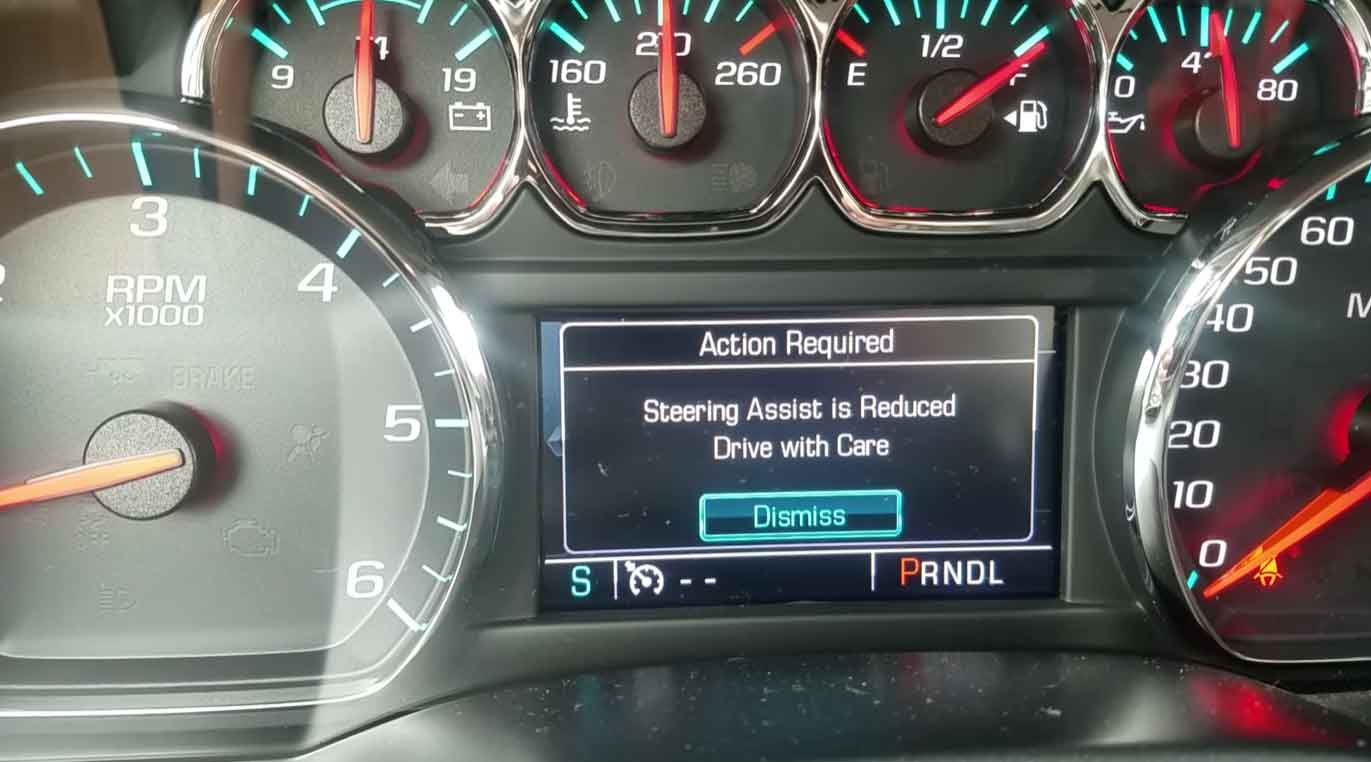
What This Warning Really Means
When “Steering Assist Is Reduced Drive With Care” pops up on your dashboard, your car is telling you something important. The power steering system isn’t working at full strength anymore.
I’ve seen this warning countless times in my shop. Your steering wheel will feel heavier than normal. Turning becomes harder, especially when you’re parking or driving slowly.
Modern cars use electric motors to help you steer. When this system weakens, you’ll notice right away. The good news? Your steering still works. It just takes more muscle to turn the wheel.
This isn’t something you should ignore. In my 15 years fixing cars, I’ve watched small steering problems turn into expensive repairs when drivers wait too long.
Why Your Steering Assist Warning Turned On
Let me walk you through the most common reasons I find when diagnosing this problem.
Dead or Weak Battery
Your battery does more than start your car. It powers the electric steering system too.
A dying battery can’t supply enough juice to run the steering assist. I’ve reset dozens of these warnings just by installing a fresh battery.
Check your battery voltage first. It should read around 12.6 volts when the car is off.
Low Steering Fluid (Older Cars)
Older vehicles use hydraulic power steering. These need special fluid to work properly.
When fluid leaks out, the system loses pressure. I always check under the car for wet spots and inspect all the hoses.
The reservoir should stay between the MIN and MAX lines. If it’s low, there’s a leak somewhere.
Worn Out Steering Rack
The steering rack is the heart of your steering system. It converts your wheel turning into actual tire movement.
After years of use, internal parts wear down. I can usually hear grinding or feel rough spots when testing a bad rack.
Replacing a steering rack isn’t cheap. Expect to pay between $500 and $1,500 depending on your car.
Temperature Sensor Problems
Your engine has a sensor that measures coolant temperature. This sensor talks to the car’s computer constantly.
When it fails, the computer gets confused. It might cut power to “non-essential” systems like steering assist to protect the engine.
I’ve cleared this warning many times by swapping out a faulty coolant temperature sensor. It’s usually a quick fix.
Computer and Software Glitches
Modern cars are basically computers on wheels. Sometimes the software gets buggy.
The ECU (your car’s brain) controls the steering assist. A software error can trigger false warnings.
I’ve seen simple software updates fix this issue completely. Your dealer can reflash the computer in about an hour.
Bad Thermostat
The thermostat controls coolant flow to keep your engine at the right temperature.
A stuck thermostat causes overheating. When the engine gets too hot, the computer reduces steering assist to protect other systems.
Replacing a thermostat costs between $150 and $300 in most shops.
Mechanical Wear and Damage
Sometimes the problem isn’t electronic at all.
Bent suspension parts, worn ball joints, or loose wiring can all strain the steering system. I always do a full inspection underneath the car.
These problems usually show other symptoms too. Listen for clunking sounds or notice if your car pulls to one side.
How To Reset The Warning Message
Here are the proven methods I use in my shop to clear this error.
Method 1: Simple Restart
This sounds too easy, but it works more often than you’d think.
Turn your car completely off. Remove the key and wait one full minute.
Start it back up and check the dashboard. If the warning disappears and doesn’t come back, you’re good to go.
Take a test drive around the block. Pay attention to how the steering feels. If it’s still heavy, keep reading.
Method 2: Battery Disconnect Reset
This forces your car’s computer to reboot completely.
Park safely and turn everything off. Pop the hood and find your battery.
Use a 10mm wrench to loosen the negative cable (the black one). Remove it from the battery post.
Wait 15 minutes. This drains all the electrical systems completely.
Reconnect the cable and tighten it down. Start your car and check for the warning.
From my experience, this clears about 40% of steering assist warnings.
Method 3: Scan Tool Diagnosis
I keep an OBD-II scanner in every bay of my shop. These tools read error codes from your car’s computer.
Plug the scanner into the port under your steering wheel. Turn the key to ON without starting the engine.
Run a full system scan. Look for these common codes:
P0128 – Engine not reaching proper temperature U0100 – Communication lost with engine computer
Write down any codes you find. Clear them using the scanner’s menu.
Restart your car. If the codes return immediately, you have a real problem that needs fixing.
Method 4: Software Update
Car manufacturers release software updates just like your phone gets updates.
Visit your dealer’s service department. They can check if updates are available for your model.
I’ve watched technicians install updates that permanently fix steering assist warnings. The process takes about 90 minutes.
Method 5: Check Your Fluids
For hydraulic steering systems, pop the hood and locate the power steering reservoir.
The fluid should be clear or slightly amber colored. Dark, dirty fluid means it needs changing.
Top it off if it’s low. But remember – if it’s low, you have a leak that needs finding.
Method 6: Replace Worn Components
Sometimes you can’t avoid replacing parts.
A failing steering rack makes noise and feels notchy when you turn. The motor might be dying if your car has high miles.
I recommend letting a certified mechanic handle these repairs. They require special tools and knowledge.
Method 7: New Temperature Sensor
A bad coolant sensor sends wrong information constantly.
The sensor usually screws into the engine block or thermostat housing. It’s a small part that costs $20 to $50.
Replacing it takes 30 minutes if you know what you’re doing. The computer relearns the correct readings automatically.
Cars That Get This Warning Most
Based on repair orders I’ve processed, certain vehicles see this problem more than others.
Cadillac XT5 (2017-2020) – Battery and computer issues are common. I service these regularly.
Chevrolet Traverse (2018-2021) – Sensor problems pop up frequently in these models.
GMC Acadia (2017-2021) – Electrical gremlins cause most of the warnings I see.
Chevrolet Blazer (2019-2021) – Steering rack problems affect many of these.
GMC Sierra 1500 (2014-2018) – Alternator and battery failures trigger the warning.
Chevrolet Malibu (2016-2020) – Torque sensors fail often in my experience.
Hyundai Elantra (2017-2020) – Electric steering sensors are the usual culprit.
Nissan Altima (2016-2020) – Battery problems cause most cases I diagnose.
Toyota Camry (2018-2020) – Computer communication errors are typical.
Ford Escape (2013-2016) – Electrical system faults show up regularly.
Chevrolet Equinox (2015-2019) – Torque sensor replacement is common.
BMW 3 Series (2012-2018) – Steering motor and battery drain issues occur frequently.
Ford Fusion (2013-2016) – Power steering module failures happen often.
Chevrolet Silverado 1500 (2014-2018) – Electrical problems are the main cause.
Mercedes-Benz C-Class (2015-2020) – Sensor malfunctions trigger this warning regularly.
My Final Advice
Don’t panic when you see this warning. Your car is still drivable.
But don’t wait weeks to address it either. Small problems become big ones fast.
Start with the simple fixes first. Check your battery and try the restart methods.
If the warning keeps coming back, get a proper diagnosis. A scan tool reveals what’s really wrong.
Regular maintenance prevents most of these issues. Change your fluids on time and keep your battery fresh.
From years under the hood, I can tell you this: catching steering problems early saves you money and keeps you safe on the road.