
Monday to Saturday - 9:00 am -18:00 pm

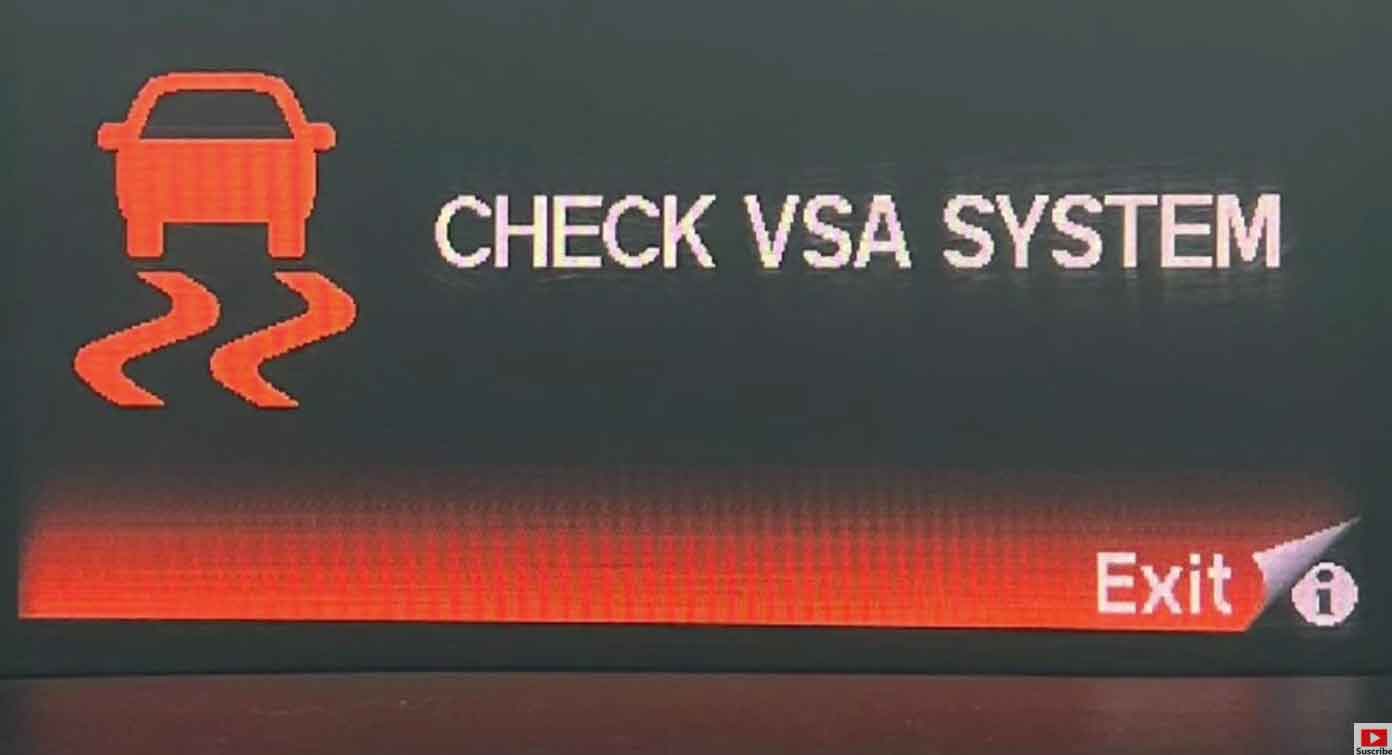
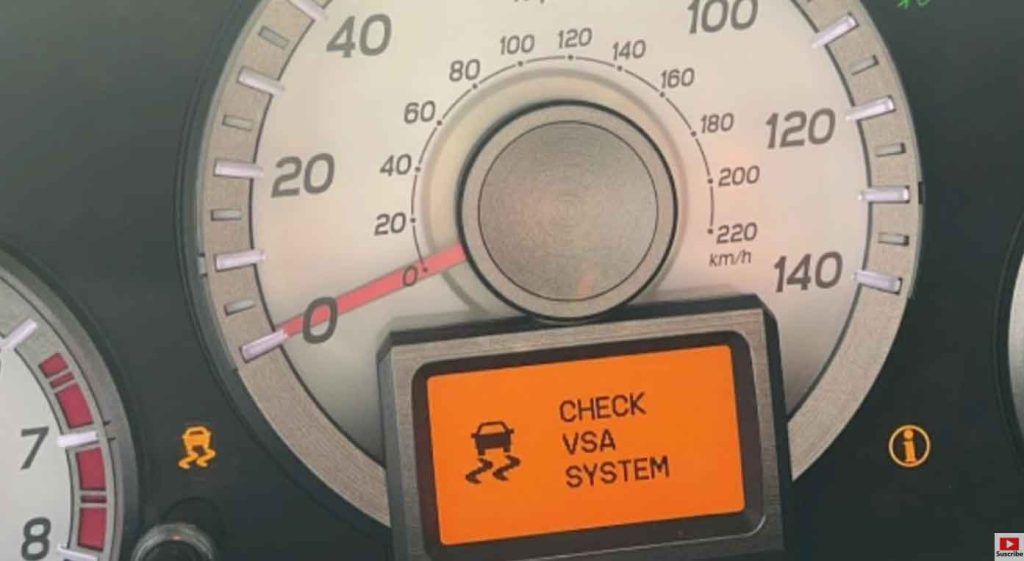
When that VSA light pops up on your Honda Odyssey dashboard, I know it can feel worrying. Don’t panic. I’ve been working on Hondas for over 15 years, and this is one of the most common issues I see in my shop.
The VSA light tells you something is wrong with your Vehicle Stability Assist system. This system keeps your van stable on the road. It’s especially important when roads are wet or icy.
Let me walk you through what causes this light and how to fix it. I’ll use simple words and clear steps. By the end, you’ll know exactly what to do.
What Is the VSA System in Your Honda Odyssey?
The VSA system is your van’s safety helper. It watches your wheels constantly. When it detects slipping, it kicks into action fast.
Here’s how it works. The system reduces engine power when needed. It also applies brakes to individual wheels. This keeps your Odyssey from sliding or losing control.
In my shop, I explain it this way to customers: Think of VSA as a co-pilot. It steps in when things get slippery. Without it, driving on wet roads becomes riskier.
The system uses several sensors. These include wheel speed sensors and a steering angle sensor. They all talk to the main computer. When something goes wrong, the VSA light turns on.
Why Is Your VSA Light On?
From years under the hood, I’ve seen many reasons for this light. Let me share the most common ones.
Someone Pressed the VSA Button
This happens more than you’d think. The VSA button sits near your steering wheel. Sometimes people press it by accident.
When you turn off VSA manually, the light stays on. This is normal. The system is just telling you it’s disabled.
Low Brake Fluid
Your brake fluid does more than help you stop. It also affects the VSA system. When fluid runs low, the light comes on.
I check this first in every diagnosis. It’s quick and easy. Plus, low brake fluid is a safety issue on its own.
Wheel Speed Sensor Problems
This is the number one cause I see. Each wheel has a speed sensor. These sensors get dirty or fail over time.
When I service a car like this, I usually find one bad sensor. They cost around $50 to $100 each. The labor to replace them takes about an hour.
Steering Angle Sensor Issues
Your Odyssey knows where the steering wheel points. That’s the steering angle sensor’s job. If it malfunctions, the VSA light appears.
This sensor can lose calibration. Sometimes it needs a simple reset. Other times, it needs replacement.
Mismatched or Wrong-Sized Tires
I’ve seen this catch people off guard. If your tires are different sizes, the VSA system gets confused.
The sensors detect different wheel speeds. The computer thinks something is wrong. Up comes the light.
Low Tire Pressure
Underinflated tires spin at different rates. This triggers the VSA system. Always check your tire pressure first.
Your Odyssey’s correct pressure is listed on the driver’s door jamb. Keep a quality tire gauge in your van.
Step-by-Step: How to Fix the VSA Light
Let me show you my diagnostic process. I use these same steps in my shop every day.
Step 1: Check the VSA Button
Look for the VSA button on your dashboard. It’s usually near the gear shift or below the steering wheel.
Press the button once. If the light goes off, you’re done. Someone had turned it off accidentally.
If the light stays on, move to step 2.
Step 2: Inspect Your Brake Fluid
Pop your hood. Find the brake fluid reservoir. It’s a small plastic container near the back of the engine bay.
Check the fluid level. It should sit between the MIN and MAX lines. If it’s low, add the correct brake fluid type.
Your owner’s manual lists the right fluid. Usually it’s DOT 3 or DOT 4. Never mix different types.
Step 3: Check All Four Tires
Walk around your van. Look at each tire carefully. Are they all the same brand and size?
Check the tire pressure next. Use a digital tire gauge for accuracy. I recommend the AccuGage brand from my experience.
Inflate any low tires to the correct PSI. Make sure all four tires match in size and inflation.
Step 4: Restart Your Vehicle
Turn off your Odyssey completely. Wait 30 seconds. Then start it again.
Sometimes the computer just needs a reboot. Minor glitches clear this way. If the light stays off, great. If not, continue.
Step 5: Use a Diagnostic Scanner
This is where most DIY fixes end. You need an OBD-II scanner now. I use a BlueDriver scanner in my shop. It costs about $100 and works great.
Plug the scanner into the port under your steering wheel. Turn on the ignition. Read the error codes.
Common codes I see include:
- C1201: Engine control system malfunction
- C1223: ABS power supply issue
- C1145: Wheel speed sensor problem
Write down the codes. They tell you exactly what’s wrong.
Step 6: Replace Faulty Parts
Based on the codes, you’ll know what needs fixing. Wheel speed sensors are the most common repair.
If you’re handy with tools, you can replace sensors yourself. If not, take your van to a trusted mechanic.
After repairs, the light should turn off. If it doesn’t, the sensor may need calibration. This requires professional equipment.
My Professional Tips for VSA System Care
In my shop, I always tell customers these maintenance tips. They prevent VSA problems before they start.
Keep Your Brakes in Good Shape
Brake maintenance affects your VSA system directly. Change brake fluid every 3 years. Replace worn brake pads promptly.
I’ve seen neglected brakes cause multiple VSA issues. Don’t skip brake inspections.
Rotate Your Tires Regularly
Tire rotation keeps wear even across all four tires. I recommend rotating every 5,000 miles.
Even wear means consistent sensor readings. This keeps your VSA system happy.
Clean Your Wheel Sensors
Road grime builds up on sensors over time. When I do brake jobs, I always clean the sensors.
You can do this too. Spray brake cleaner on the sensors during tire changes. It takes 5 minutes and prevents problems.
Use Quality Replacement Parts
When sensors fail, don’t cheap out. I use OEM Honda parts or quality aftermarket brands like Dorman.
Cheap sensors often fail quickly. They’re not worth the savings.
Can You Drive With the VSA Light On?
Yes, your Odyssey still drives with the light on. But you lose an important safety feature.
In my shop, I tell customers to drive carefully until it’s fixed. Avoid wet roads if possible. Take turns slowly.
The VSA system prevents skids and slides. Without it, your van handles like older vehicles did. You need to be more cautious.
Don’t ignore this light for weeks. Get it diagnosed soon. Safety should always come first.
Frequently Asked Questions
What does the VSA light mean on my Honda Odyssey?
The VSA light means your stability control system has a problem. Or someone turned it off using the button. The system helps prevent skids and keeps you stable on slippery roads.
How much does it cost to fix the VSA light?
From my shop experience, most fixes cost between $100 and $400. A wheel speed sensor replacement runs about $150 to $250 with labor. Steering angle sensor work costs more, usually $300 to $500.
Will the VSA light turn off by itself?
Sometimes yes, if it was a temporary glitch. But usually no. If there’s a real problem, the light stays on until you fix it. Don’t count on it disappearing without repairs.
Can low battery cause the VSA light to come on?
Yes, a weak battery can trigger the VSA light. Low voltage confuses the sensors and computer. I’ve seen this happen in cold weather especially. Test your battery first if it’s older than 4 years.
Do I need to reset the VSA system after replacing a sensor?
Often yes. The steering angle sensor especially needs calibration after replacement. This requires a Honda diagnostic tool. Most independent shops have this equipment. The reset takes about 10 minutes.
Does the VSA system affect gas mileage?
Not really. The system only activates when it detects slipping. During normal driving, it stays in the background. You won’t notice any fuel economy difference whether it’s on or off.
Final Thoughts
The VSA light on your Honda Odyssey isn’t something to fear. Now you know what causes it and how to fix it.
Start with the simple checks. Press the VSA button. Check brake fluid and tire pressure. These solve many cases right away.
For sensor issues, you’ll need a diagnostic scanner. The codes point you straight to the problem. Replace the faulty part and you’re done.
In my 15 years as a mechanic, I’ve fixed hundreds of VSA lights. Most repairs are straightforward. The system is reliable overall.
Don’t drive too long with this light on. Your safety depends on that VSA system working right. Get it checked soon and drive with confidence again.