
Monday to Saturday - 9:00 am -18:00 pm


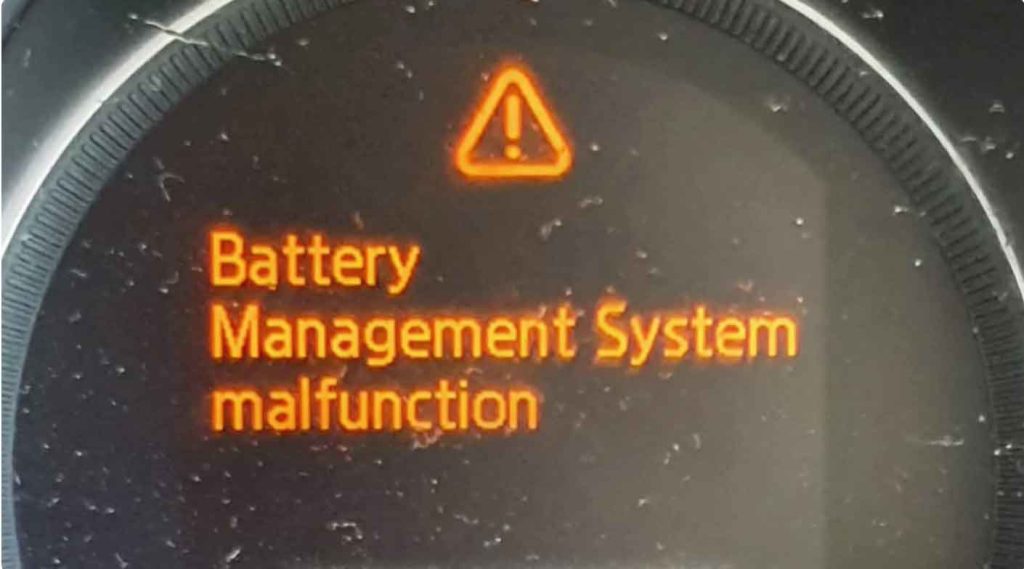
Does your Mazda dashboard show a “Battery Management System Malfunction” warning? You’re not alone. I’ve seen this issue countless times in my repair shop. The good news? It’s usually fixable once you know what’s causing it.
I’m a certified mechanic with over 15 years of experience working on Mazda vehicles. In this guide, I’ll walk you through everything you need to know. You’ll learn what triggers this warning, how to fix it, and what it might cost.
Let’s get your Mazda running smoothly again.
What Is the Mazda Battery Management System?
The Battery Management System (BMS) is like a watchdog for your car’s battery. It keeps an eye on important things. These include voltage, temperature, and how much charge is left.
Think of it as a smart monitor. It makes sure your battery stays healthy. It also helps the battery last longer.
The BMS uses sensors and computer software. These parts work together. They send information to your car’s main computer. When something goes wrong, you see that warning light.
How the BMS Works
Your Mazda’s BMS does several important jobs:
- It checks the battery voltage constantly
- It monitors the temperature to prevent overheating
- It tracks how much power flows in and out
- It tells your car when the battery needs charging
- It protects against overcharging or deep discharge
When any part of this system fails, the warning appears on your dashboard.
What Does This Warning Mean?
When you see “Battery Management System Malfunction,” your car is telling you something is wrong. The BMS detected a problem it can’t fix on its own.
From my experience under the hood, this doesn’t always mean your battery is dead. Sometimes it’s a sensor issue. Other times it’s a connection problem.
The warning means the system can’t properly monitor or protect your battery anymore. You need to address this soon.
Why Does the BMS Malfunction Happen?
I’ve diagnosed this issue hundreds of times. Here are the most common culprits I find.
Worn Out Battery
Batteries don’t last forever. Over time, they lose their ability to hold a charge. This is normal wear and tear.
A weak battery confuses the BMS. The system gets readings that don’t make sense. Then it triggers the warning.
What to Look For:
- Your headlights look dimmer than usual
- The engine cranks slowly when starting
- You hear clicking sounds when turning the key
- The car struggles to start in cold weather
- Your fuel economy drops
In my shop, I test battery voltage with a multimeter. A healthy battery shows 12.4 to 12.6 volts when the engine is off. Anything below 12 volts means trouble.
Bad Sensors
Your BMS relies on sensors for accurate information. These sensors measure voltage, current, and temperature.
When a sensor fails, it sends wrong data to the computer. The BMS can’t work properly with bad information.
Warning Signs:
- The battery light flickers on and off
- Your dashboard shows random electrical warnings
- The diagnostic scanner shows sensor error codes
- You notice corrosion or damage on sensor wires
I use a scan tool to check sensor readings. If the numbers look crazy or don’t change, the sensor is likely bad.
Dirty or Loose Battery Connections
This is one of the easiest problems to fix. I see it all the time.
Battery terminals get corroded. That white or blue crusty stuff blocks the electrical flow. Loose connections do the same thing.
What to Check:
- Look for white, blue, or green powder on terminals
- Check if the cables wiggle when you touch them
- Feel for moisture around the battery area
- Inspect the cable clamps for cracks
A poor connection disrupts communication between the battery and BMS. The system can’t get accurate readings.
Computer Software Problems
Your car’s computer runs on software, just like your phone. Sometimes that software has bugs or glitches.
These issues can make the BMS act up even when everything else is fine.
Common Symptoms:
- Warning lights come and go randomly
- Electrical features work inconsistently
- The battery charge reading jumps around
- Problems started right after cold weather
Software updates from Mazda often fix these glitches. The dealer can install these updates.
Failing Alternator
Here’s something many people don’t realize. The alternator charges your battery while you drive. If it fails, your battery can’t recharge.
A bad alternator is one of the top causes I see for BMS warnings.
Red Flags:
- Your battery dies even though it’s new
- Headlights dim when idling
- You hear grinding or whining noises
- The car stalls while driving
- Electrical accessories stop working
I test alternators with a voltmeter. With the engine running, you should see 13.5 to 14.5 volts. Lower numbers mean the alternator isn’t working right.

How to Fix the BMS Malfunction
Now let’s talk solutions. Here’s what actually works based on my years of experience.
Keep Up with Basic Maintenance
Prevention is the best fix. Regular maintenance stops most BMS problems before they start.
What I Do During Service:
- Clean battery terminals with a wire brush
- Tighten all battery connections
- Check the battery voltage with a meter
- Inspect cables for damage or wear
- Test the charging system
I recommend checking your battery every time you change your oil. It takes five minutes and can save you headaches later.
The battery voltage should read between 12.4 and 13 volts when the engine is off. While running, it should be 13.5 to 14.5 volts.
Replace Faulty Sensors
If a sensor is bad, you need to replace it. There’s no way around this.
Finding the bad sensor requires a diagnostic scanner. I plug it in and read the error codes. The codes tell me which sensor is acting up.
The Process:
- Run a full diagnostic scan
- Identify the faulty sensor from error codes
- Order the correct replacement part
- Install the new sensor
- Clear the error codes
- Test drive to confirm the fix
This isn’t a DIY job for most people. You need special tools and knowledge. I suggest visiting a mechanic or Mazda dealer for this repair.
Update the Software
Mazda releases software updates regularly. These updates fix bugs and improve system performance.
Many times, a simple update solves the BMS warning.
How It Works:
- The dealer connects a computer to your car
- They download the latest software version
- The update installs automatically
- The system resets and the warning clears
Some updates are free if your car is under warranty. Always ask about available updates when you visit the dealer for service.
Get a New Alternator
A dying alternator needs replacement. You can’t patch this up.
When I replace an alternator, I also check related parts. The serpentine belt often needs replacing too. I inspect the battery cables while I’m at it.
What to Expect:
- The mechanic tests the alternator output
- They remove the old alternator
- A new alternator gets installed
- The belt tension is adjusted
- Everything is tested before you leave
This repair usually takes 1 to 2 hours. It’s a common job that most shops handle easily.
When to See a Professional
Sometimes you need expert help. Don’t feel bad about this.
If you’ve tried basic fixes and the warning stays on, visit a mechanic. Choose someone experienced with Mazda vehicles.
What a Pro Will Do:
- Run complete diagnostic tests
- Check all electrical connections
- Test the entire charging system
- Identify hidden problems you might miss
- Fix the issue correctly the first time
In my shop, I see many cars that got worse from DIY attempts. Getting professional help early often saves money in the long run.
Cost to Fix BMS Problems
Let’s talk money. Here’s what you can expect to pay based on what needs fixing.
| Service Type | Price Range | What’s Included |
|---|---|---|
| Basic Inspection | $50 – $150 | Terminal cleaning, connection check, basic testing |
| Sensor Replacement | $100 – $300 | Diagnosis, new sensor, labor, testing |
| Software Update | $0 – $100 | Programming (often free under warranty) |
| New Battery | $100 – $300 | Battery cost plus installation |
| Full Diagnostic | $100 – $200 | Complete system scan by certified tech |
| Alternator Replacement | $400 – $800 | New alternator, belt, labor, testing |
Prices vary by location and whether you use a dealer or independent shop. Dealers cost more but use genuine Mazda parts.
From my experience, most BMS issues cost between $100 and $400 to fix. That’s way cheaper than ignoring the problem and damaging your battery or electrical system.
Step-by-Step BMS Reset Procedure
Want to try resetting the system yourself? Here’s the exact method I use in my shop.
This works for many software-related glitches. It won’t fix hardware problems, but it’s worth trying first.
Step 1: Park your car in a safe spot. Make sure the engine is warm. Let it run for at least 10 minutes if it’s cold.
Step 2: Turn off the engine completely. Take the key out of the ignition.
Step 3: Turn the ignition to the “ON” position. Don’t start the engine. Just turn the key to where the dashboard lights come on. Wait 3 minutes.
Step 4: Start the engine. If your Mazda has an i-stop button, press it to turn that feature off.
Step 5: Let the engine idle. Don’t touch the gas pedal. Just let it run for 10 to 15 minutes. This gives the BMS time to relearn the battery condition.
Step 6: Turn the engine off. Wait 30 seconds.
Step 7: Start the engine again. Check your dashboard. The warning light should be gone.
If the light comes back, you have a real problem that needs diagnosis. The reset didn’t work because there’s an actual fault in the system.
Final Thoughts
The Battery Management System keeps your Mazda running reliably. When the warning appears, don’t ignore it.
Most BMS problems are straightforward to fix. Clean connections, a new sensor, or a software update usually does the trick.
From years of working on these cars, I’ve learned that quick action prevents bigger problems. A $100 fix today beats a $1,000 repair next month.
Key Takeaways:
- Check your battery and connections first
- Try the reset procedure before spending money
- Get professional diagnostics if DIY doesn’t work
- Don’t drive for weeks with the warning light on
- Regular maintenance prevents most issues
Stay on top of your car’s maintenance schedule. It’s the best way to avoid this warning in the first place.
If you’re still stuck after trying these solutions, find a trusted mechanic. They’ll get to the bottom of it quickly.
Common Questions About BMS Malfunctions
Can I keep driving with the BMS warning on?
You can drive short distances, but don’t wait too long. The warning means your battery isn’t being monitored properly. This can lead to a dead battery or electrical damage. Fix it within a few days.
How often should I check the BMS?
I recommend checking your battery system with every oil change. That’s usually every 5,000 to 7,500 miles. Also check it if you notice any electrical issues or before winter starts.
What are the warning signs to watch for?
Look for these red flags: BMS warning light on the dashboard, slow engine cranking, dim headlights, clicking sounds when starting, or electrical accessories that work poorly. Any of these means you should get it checked soon.
Will a software update fix everything?
It depends on the cause. Software updates fix bugs and glitches in the computer system. But they won’t fix a bad sensor, worn battery, or failing alternator. Those need physical repairs.
How much will I pay to fix this?
Most BMS repairs cost $100 to $400. Basic service runs $50 to $150. Sensor replacement costs $100 to $300. A new battery is $100 to $300. Alternator replacement is the most expensive at $400 to $800. Get a diagnosis first so you know what you’re dealing with.